
What is Dazl?
Dazl is an AI-powered platform where product teams plan, design, iterate, and hand off web products, all in one place.
Dazl is an AI-powered platform where product teams plan, design, iterate, and hand off web products, all in one place.
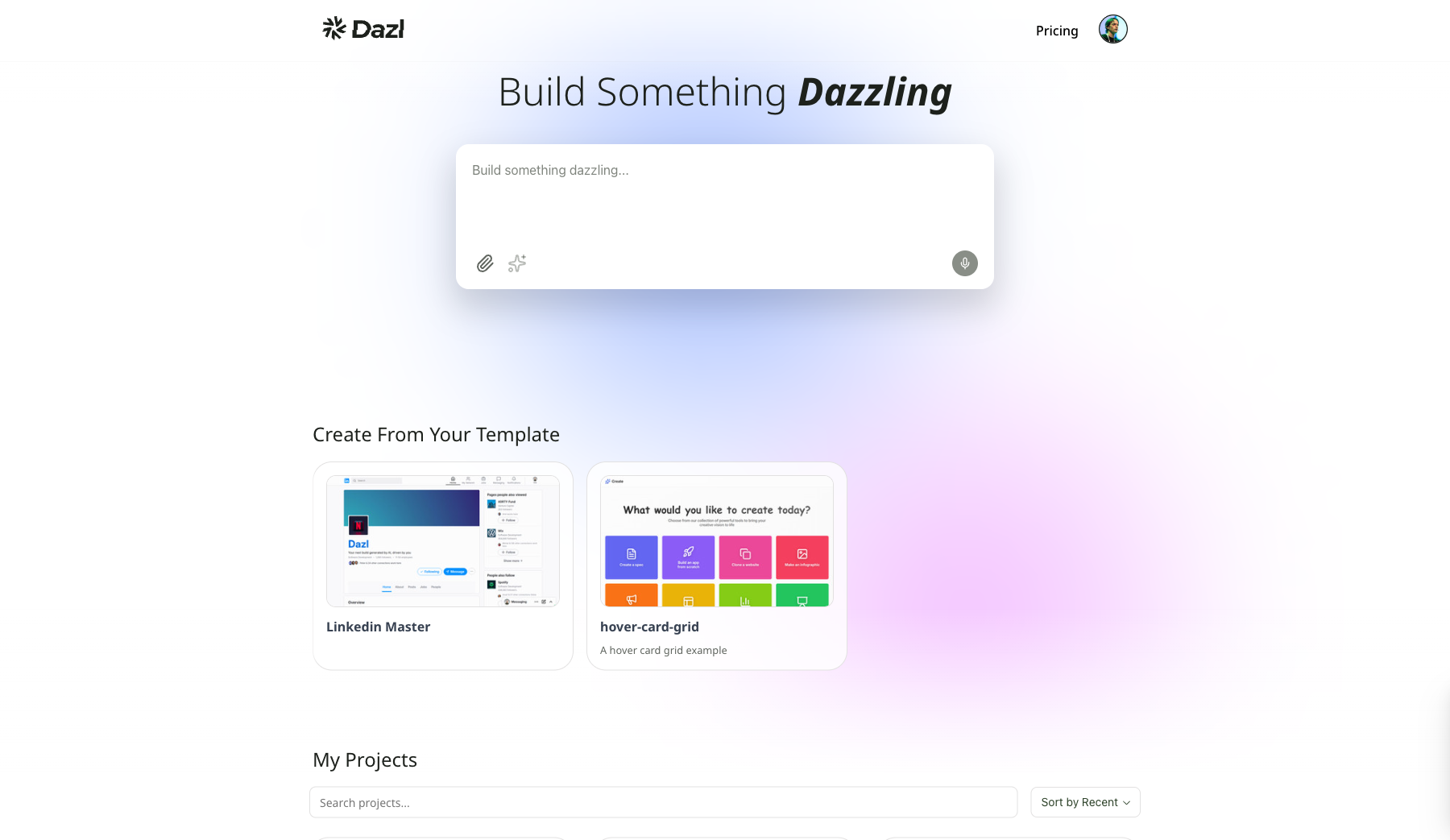
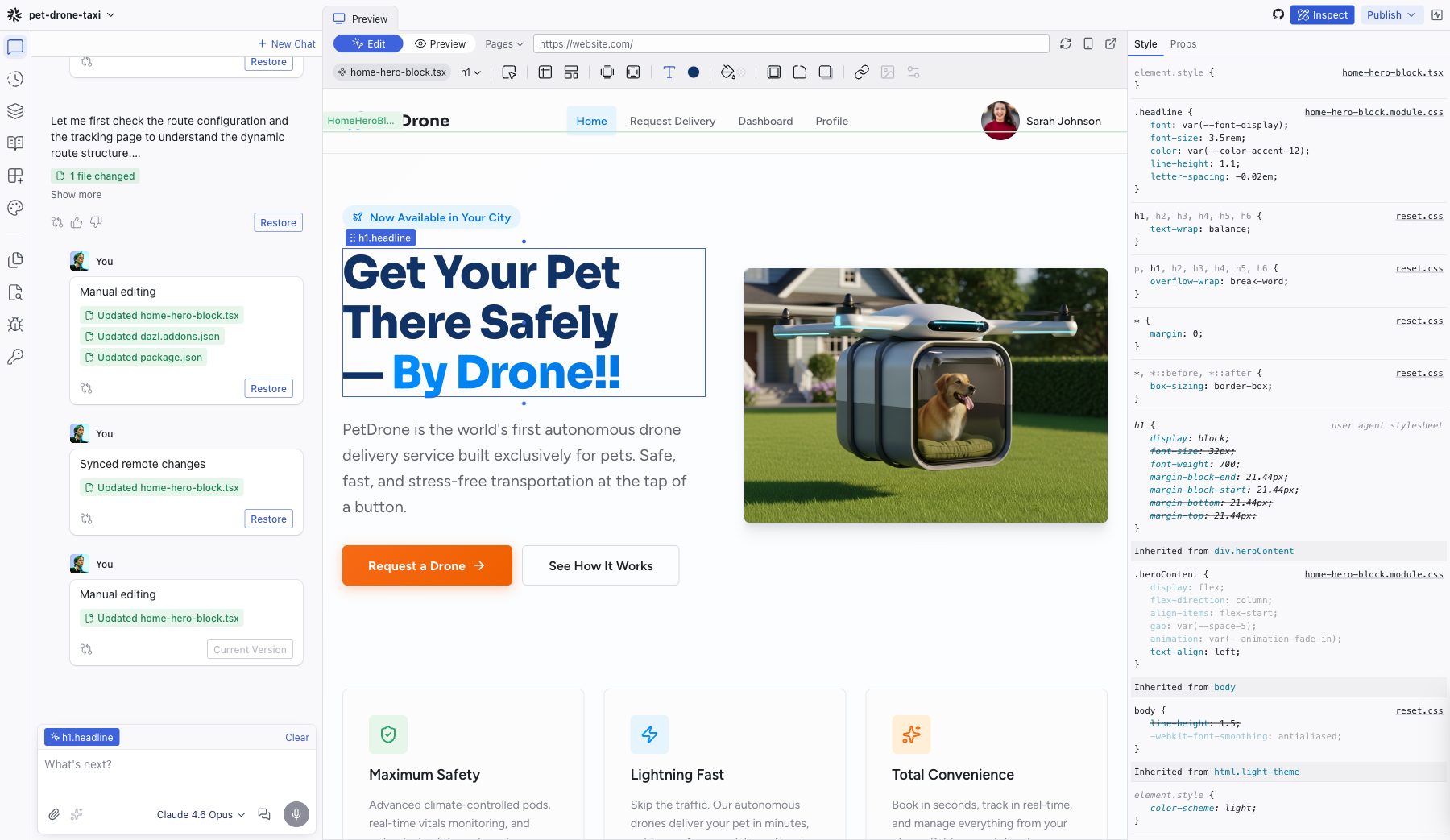
Click any project to open the Editor — a three-column workspace with the AI Chat on the left, a live preview in the center, and an Inspect panel on the right.
Built for Product Teams
Unlike general-purpose AI tools that try to be everything for everyone, Dazl is designed for how professional product teams actually work: collaboratively, iteratively, and with care for the process behind great products.
Whether you're a product manager validating a feature idea, a designer exploring interactions in the browser, or working together to align your team around a shared vision, Dazl gives you the environment to do that work with AI integrated into every step.
The Product Journey
Dazl supports your team across four stages of the product workflow:
Ideate and Plan
Start from a prompt, a screenshot, or written specs. Create detailed project specifications directly within Dazl using the built-in Specs panel, a markdown editor where you define what you're building and how the AI should approach it.
Save projects as reusable templates to create repeatable starting points for experimentation.
Design and Refine
Shape the experience with hands-on visual editing: drag elements, change colors, edit text, and tweak hover states without touching the chat or spending credits. Every visual change immediately updates the underlying code, and every code change updates the visual preview.
Build to your brand and design systems. Every project includes semantic design tokens for colors, typography, and spacing. Define your standards once and they apply across every component.
Iterate and Collaborate
Inspect what the AI creates — see the element tree, applied styles, and component properties with full visibility. Everything is displayed in readable source names, not garbled hashes.
Review a transparent diff of every change, whether made by the AI, visual editing, or drag-and-drop. Use the History panel to jump back to any previous revision.
Handoff and Validation
Publish interactive prototypes to share with stakeholders for demos and validation. Connect to GitHub for a production-ready handoff to development teams: real code, not throwaway wireframes. Or export a spec that a developer can implement using their AI agent of choice.
What Makes Dazl Different
Real code and real servers. Every project runs on a real virtual server, not a client-side mock. This enables backend functionality like authentication, database queries, and API integrations.
Two-way editing. Visual changes update the code. Code changes update the visual preview. They're always in sync.
Transparent AI. Every change the AI makes is visible — review diffs, browse modified files, and inspect elements just like you would in browser DevTools. The AI isn't a black box; it's a collaborator you can verify.
Context-aware AI. Select an element on the preview and it's automatically passed as context to the AI. The code analysis engine ensures the AI understands your project's structure, naming conventions, and design system.
Dazl respects the multi-step process of product building. AI supports different stages of your workflow, not a shortcut to skip them.
Who is Dazl For?
- Product managers validating feature ideas with interactive prototypes instead of static mockups
- Product designers exploring what the web can actually do — CSS transitions, responsive behaviors, animations — beyond what static design tools allow
- Teams who want a single source of truth where product decisions, design, and code come together
Related Articles
- Creating Your Account – sign up and get started
- Your First Project – create your first interactive prototype
- The Dashboard – find your way around the main screen