
Upgrading to Pro
The Free plan gives you a taste of what Dazl can do. Upgrading to Pro unlocks more credits and additional capabilities for your team.
The Free plan gives you a taste of what Dazl can do. Upgrading to Pro unlocks more credits and additional capabilities for your team.
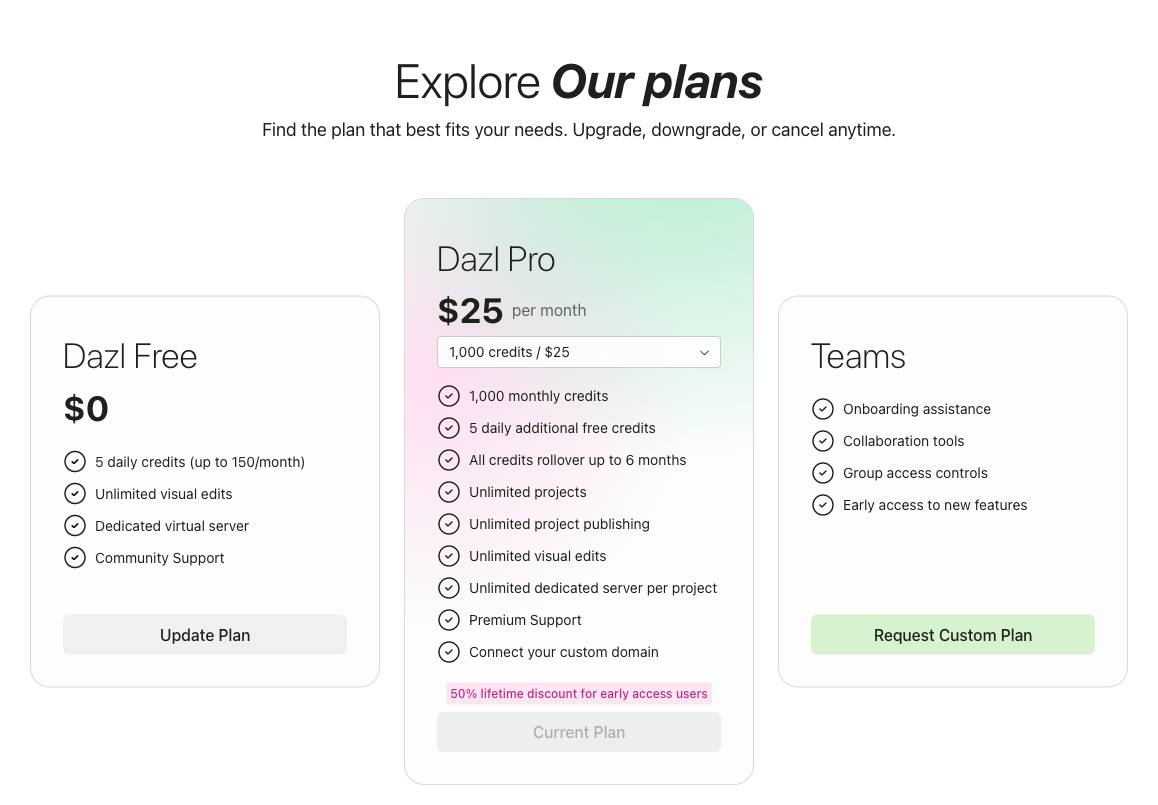
Plans
Credits are consumed when the AI generates or modifies code. Visual editing, inspecting, and browsing your projects don't use credits.
Free
- 5 daily credits (up to 150/month)
- Unlimited visual edits
- Dedicated virtual server
- Community support
Pro ($25/month)
- 1,000 monthly credits (additional tiers available)
- 5 daily additional free credits
- All credits roll over for up to 6 months
- Unlimited projects and publishing
- Dedicated server per project
- Connect your custom domain
- Premium support
Teams
For organizations that need collaboration tools, group access controls, and onboarding assistance. Contact the Dazl team to request a custom plan.
You can check your current balance in the user menu on the Dashboard and in the Project menu inside the editor.
How to Upgrade
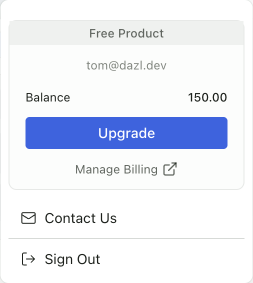
- Click your avatar in the top-right corner to open the user menu
- Click Upgrade — this takes you to the Pricing page
- Choose your plan and complete the payment process
You can also navigate directly to the Pricing page using the Pricing link in the Dashboard's top bar.
Managing Your Billing
To update payment methods, view invoices, or manage your subscription:
- Click your avatar in the top-right corner
- Click Manage Billing
This opens the billing management portal where you can update your payment details and review your history.
Cancelling Pro
- Go to the Pricing page
- Switch back to the Free plan
You won't be billed again, and Pro features remain available until the end of your current billing period.
Stretching Your Credits
A few ways to get more out of your credits:
- Use lighter models for routine tasks. Claude 4.5 Haiku and Gemini 3 Flash are fast and cost fewer credits. Save more capable models like Claude 4.6 Opus for complex changes.
- Use visual editing when you can. Direct edits — changing colors, dragging elements, editing text — don't consume credits at all.
- Be specific in your prompts. Clear, focused prompts tend to get the right result in fewer iterations than vague ones.
- Write specs. Well-defined specs in the Specs panel help the AI understand your intent upfront, reducing back-and-forth.
Related Articles
- Creating Your Account – getting started with Dazl
- Chat – model selector, credits, and cost trade-offs between models
- The Dashboard – navigating the main screen