
Keys
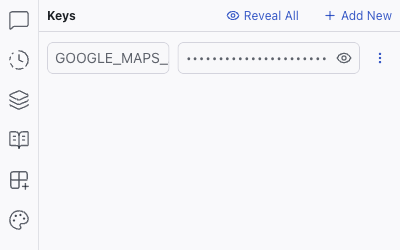
The Keys panel manages environment variables and API keys for your project. Secrets stored here are available to your project's server code without being exposed to the AI or visible in the codebase.
The Keys panel manages environment variables and API keys for your project. Secrets stored here are available to your project's server code without being exposed to the AI or visible in the codebase.
Adding a Key
- Click Add New in the Keys panel
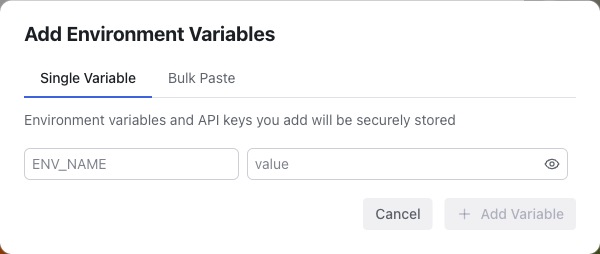
- In the Add Environment Variables dialog, choose Single Variable or Bulk Paste
- Enter the variable name (e.g.,
GOOGLE_MAPS_API_KEY) and its value - Click Add Variable
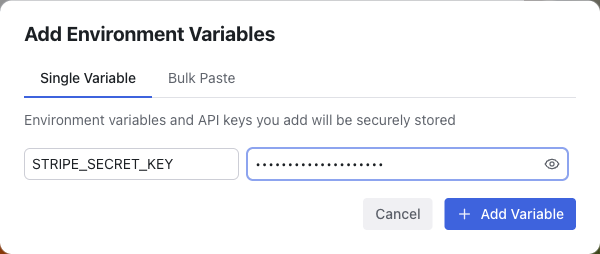
The variable is securely stored and accessible in your project's server-side code as an environment variable. Values are masked by default; click the eye icon next to a key to reveal it, or use Reveal All in the panel header to show every value at once.
Keys are stored in a .env file and are not exposed to the AI. This keeps sensitive credentials like API keys and database connection strings separate from your application code.
When to Use Keys
- API keys for third-party services (e.g., Stripe, OpenAI, Google Maps)
- Database connection strings for external databases
- Service credentials that your project's server needs at runtime
Related Articles
- Integrations – connecting to external services
- Logs – debugging server-side issues related to credentials